Input Devices
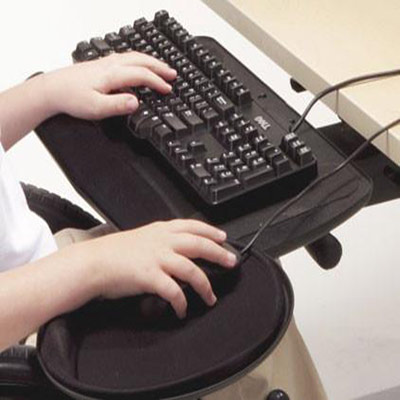
How to setup up your keyboard and mouse for maximum comfort.

This learning community will help you learn about ergonomics of day to day work; for example, the appropriate body posture while using your computer workstation and to prevent discomfort caused to the body due to poor ergonomics. It will also help you to identify the proper usage of laptops and smartphones.
These short courses are not meant to address specific injuries or medical concerns — in such a situation, a professional in the field should be contacted.

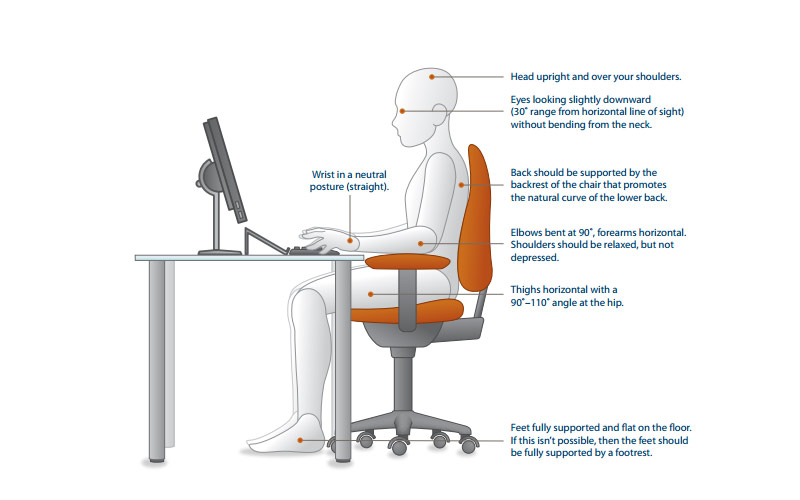
How to setup the computer workstation and your body posture with respect to that
How to setup up your keyboard and mouse for maximum comfort.

How far you sit from you monitor and how sit on your chair will help prevent back problems.
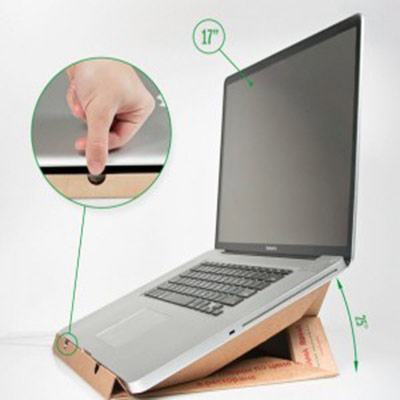
Laptops and smartphones offer convenience but improper posture while using them posses risks of fatigue and injury.
Posture is the most important aspect when looking at workstation design.
Our learning modules are multimedia tutorials that use text, graphics, audio, animations.
Our learning portal is designed to track your progress and provide you with a report on all your learning modules.
Shot quizzes after the modules enable you to assess your knowledge as learn.
Our self-paced courses offer you the opportunity to learn new skills by reading tutorials, doing quizzes...
Our learning modules are short and concise so you learn quickly in your spare time – on the web or your mobile device.
Search the knowledgebase or post your questions for our experts